Razox

LIZENZSCHLÜSSEL INNERHALB 1 MINUTE ERHALTEN!

Telefon

BALD VERFÜGBAR

E-Mail Adresse

info@software-dschinni.de

Microsoft Office Installation

Instructions

If you bought the 2021 version please download here:

Step 1

Download Microsoft Office 2024 Pro Plus 

Language 64-bit 32-bit
English Download Download
Deutsch Herunterladen Herunterladen
Français Télécharger Télécharger
Italiano Scarica Scarica
Español Descargar Descargar
Português Descarga Descarga

Step 2

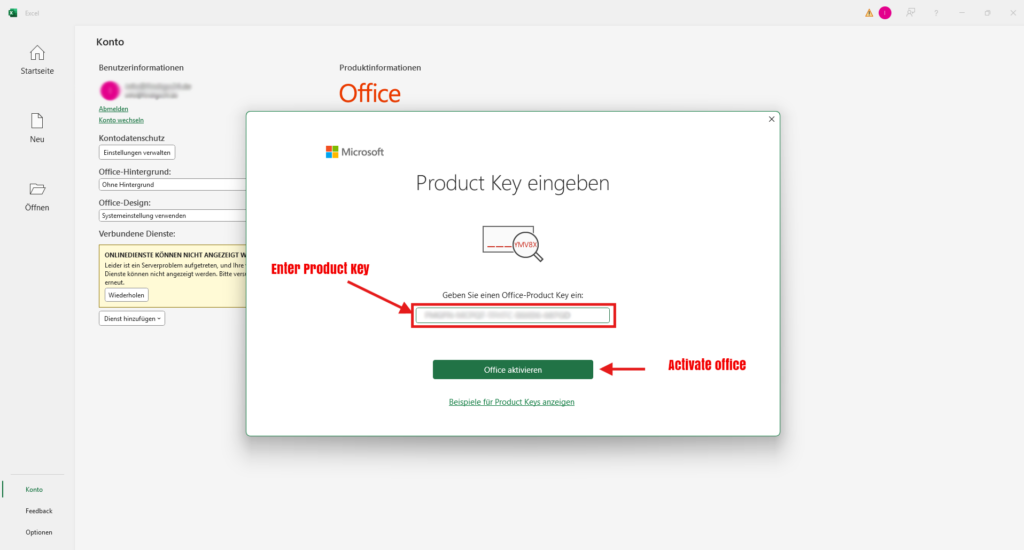
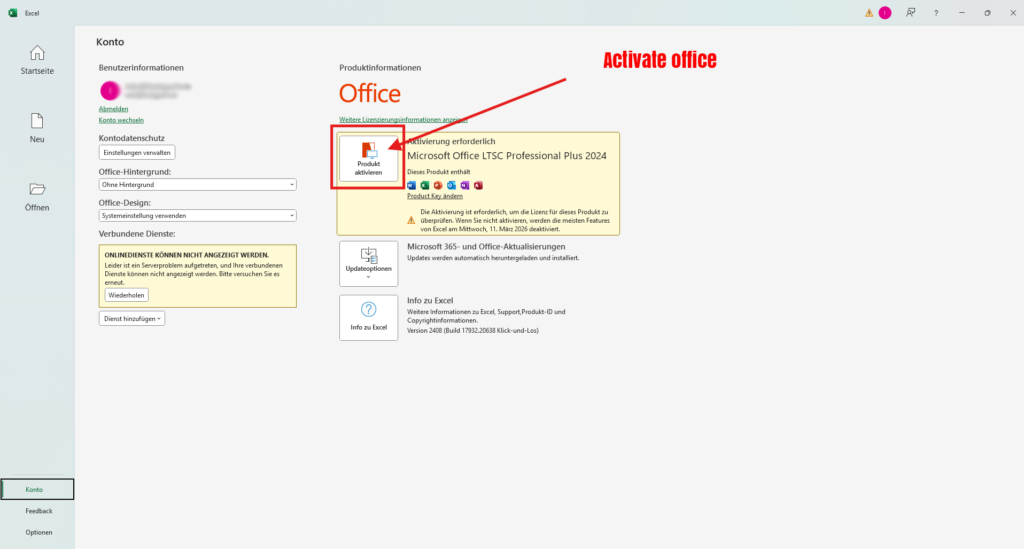
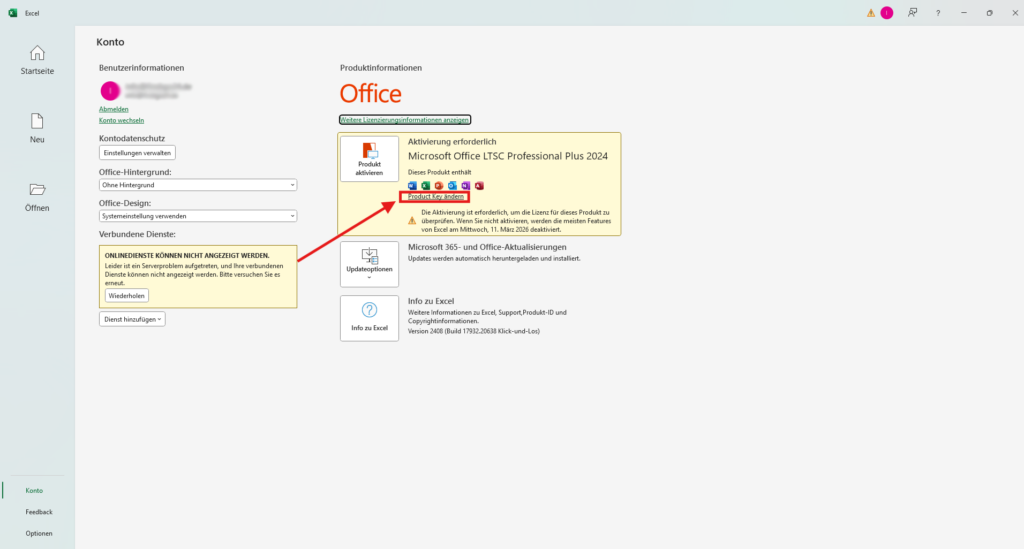
Log into your account and klick on Product key Button 

Step 3

Insert the Product Key u got from our E-Mail

Step 4

Click „Activate Product“

Step 5

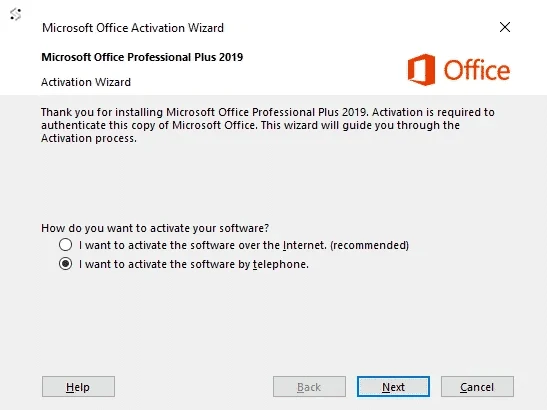
Choose phone activation very important!!!

Step 6

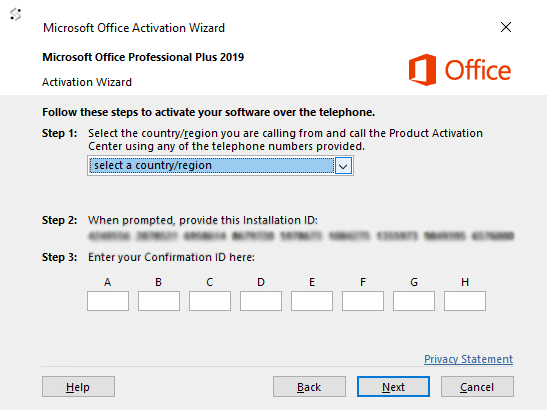
Go to visualsupport.microsoft.com and follow the steps to get the Confirmation ID

Step 7

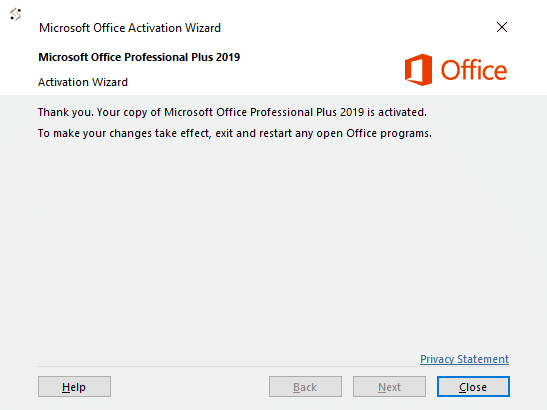
Put the Confirmations ID into the Field and then click on Next. You should see that ur Microsoft Office got activated.

Step 8

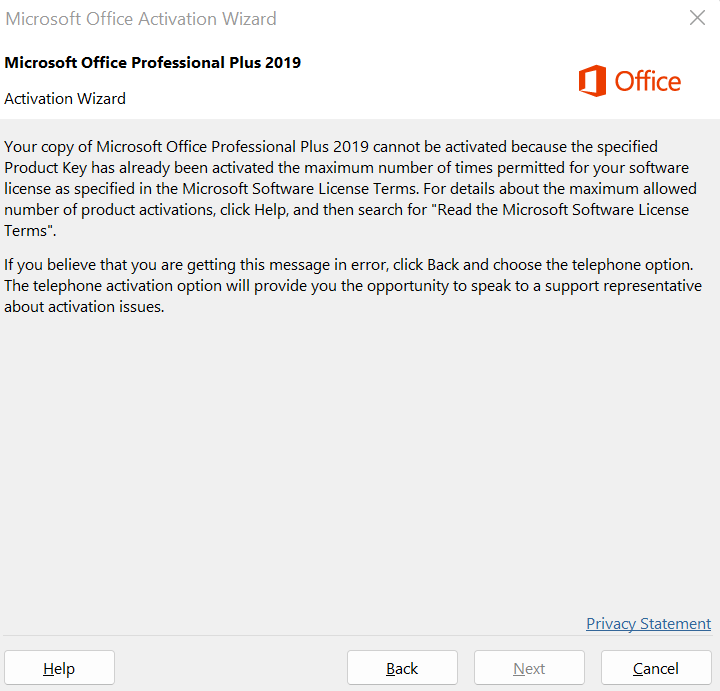
If you get the notice that the Key you’re using, got maxed out (not working) then you didnt follow the instructions. 
Its important to download the Office product from the link on step 1.
You did downloaded the setup office which is wrong you need to download it from microsoft. Thats a diffrence cuz of the LTSC…
So please download it from the top of this instruction (step 1). 
Select the fields to be shown. Others will be hidden. Drag and drop to rearrange the order.
  • Image
  • SKU
  • Rating
  • Price
  • Stock
  • Availability
  • Add to cart
  • Description
  • Content
  • Weight
  • Dimensions
  • Additional information
Click outside to hide the comparison bar
Compare
Warenkorb schließen