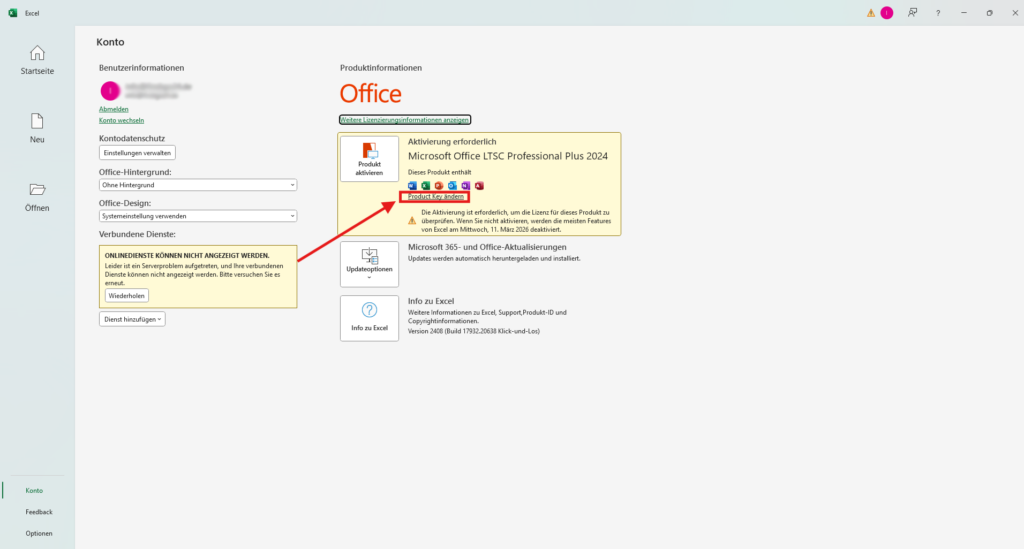
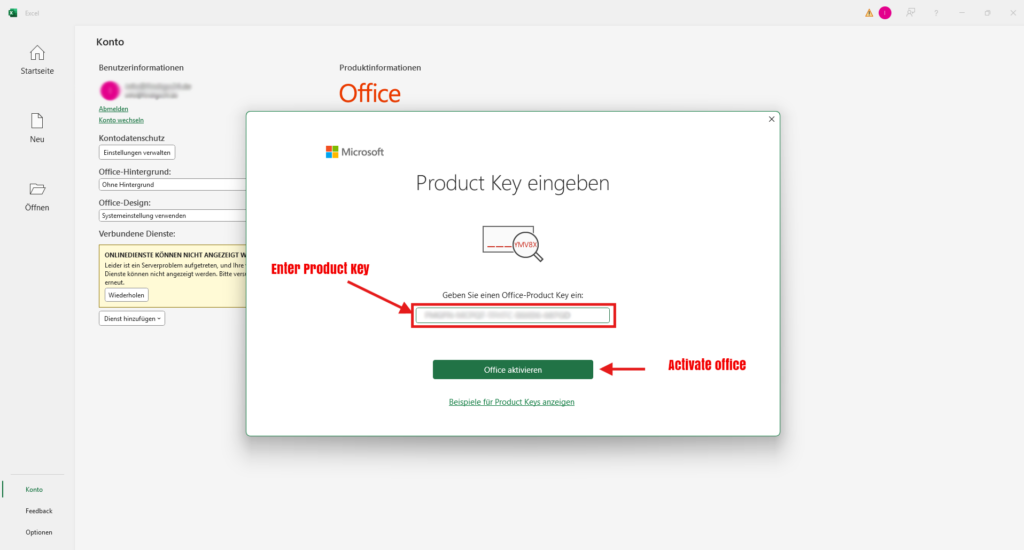
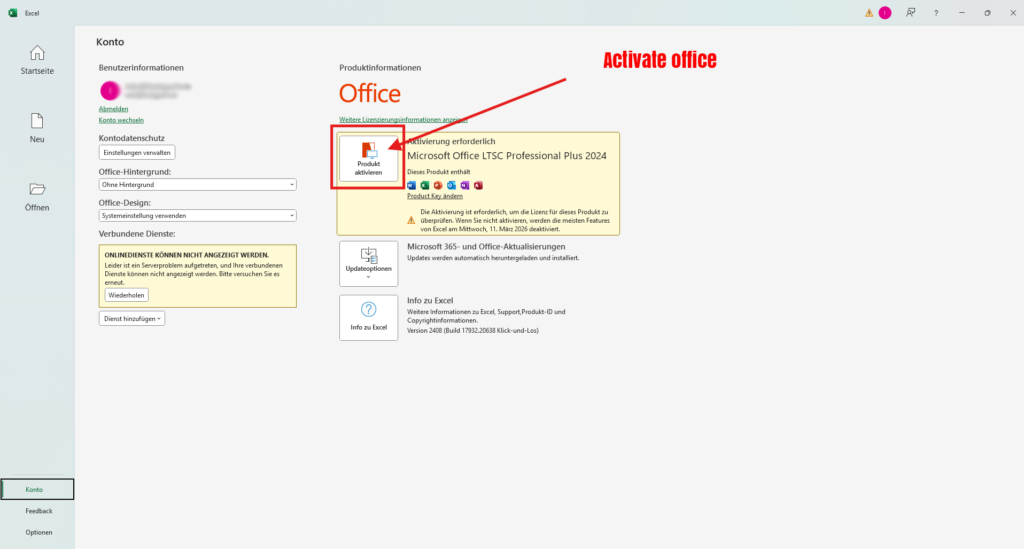
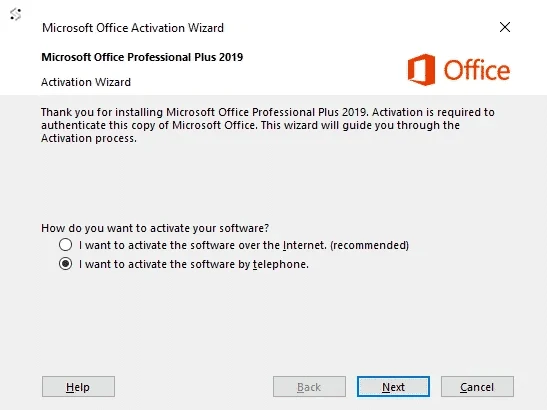
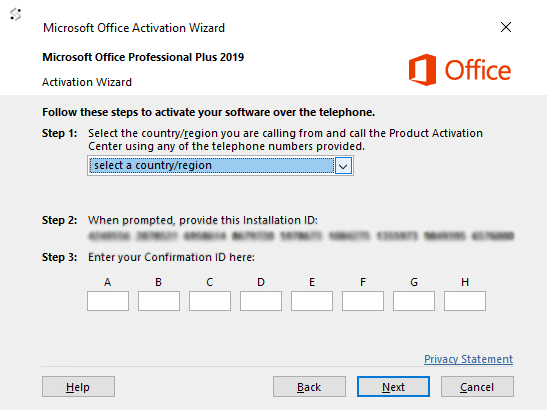
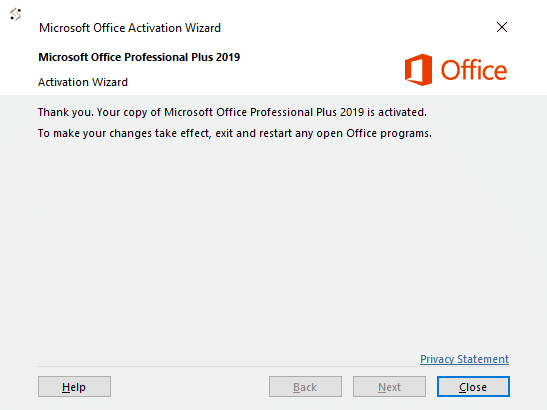
Microsoft Office Pro Plus 2021 Instructions Step 1 Download Microsoft Office 2024 Pro Plus Install Programm Step 2 Log into your account and klick on Product key Button Step 3 Insert the Product Key u got from our E-Mail Step 4 Click „Activate Product“ Step 5 Choose phone activation Schritt 6 First select your country, this will enable Microsoft to generate you a phone number to call.If the number does not work or you cant see one click here.Please Call the phone number that match your country.An example of this windows is below. E-Mail Adresse Step 7 1 – Start by calling your chosen number.2 – Now press option 1 to consent to call recording.3 – Enter the auto generated security number if asked on the telephone keypad.4 – Now press option 3, do NOT press option 2, this will fail activation.5 – Now press option 1.Microsoft will now ask for your Installation ID, type it into your telephone keypad carefully.6 -You will now be asked how many uses, press 0. (The reason we choose 0 as you have not activated this on any PC yet)7 -The automated system will now verify your Installation ID and generate you a Confirmation ID* (if not see bottom of page)8 -Type the Confirmation ID into your PC carefully and press next.9 -Your activation is successful and fully installed on your PC.10 -now press option 2 on your telephone keypad to complete the activation.Please see the image below.